Projectrustmacosopen-sourceagentsEnglishTürkçe
MacySync: Got fresh mac but feeling lazy to carry everything there? Dont worry we cover you for free!
A Mac used for a while holds much more than files: apps tuned just so, saved logins, keys, a Homebrew's worth of tools, an agent's skills and memory. MacySync moves all of that from one Mac to another, piece by piece and straight across, end-to-end encrypted, and then an AI agent of your choice finishes the setup.

7 min read
 Project · Rust · macOS · Open source
A new Mac? Just two clicks away from your previous setup
A Mac used for a while holds much more than files: apps tuned just so, saved logins, keys, a Homebrew's worth of tools, an agent's skills and memory. MacySync moves all of that from one Mac to another, piece by piece and straight across, end-to-end encrypted, and then an AI agent of your choice finishes the setup.
The short version and all the links
- MacySync moves one Mac to another: apps with their settings, data and the keychain key their saved logins need, SSH and GnuPG keys, dotfiles, system preferences, fonts, your folders, AI tools' settings, and lists from Homebrew, npm, cargo and uv.
- The two Macs meet in a private GitHub repo of yours. Files go straight from Mac to Mac, on the local network or through MacySync's own Tailscale node when the network keeps the Macs apart.
- Either Mac sends or receives. The sender offers a tree with sizes, the receiver ticks what it wants, only the ticks travel, and a cut connection loses only the item in flight.
- Then the new Mac writes
AGENTS.mdandGOAL.mdand starts the agent you choose: Claude Code, Codex, OpenRouter, Ollama or a command of your own. - Free and open source (MIT), one Rust app for Apple silicon on macOS 13 or later. Version 0.1.0, the first release.
- Websitemacysync.vercel.app
- DownloadMacySync-macos-arm64.zip
- SourceGitHub repo
- DocsHow it works
- FeaturesWhat it does
- ChangelogWhat changed
The problem
Setting up a new Mac is two jobs. One is copying. The other is everything copying gets wrong: a browser that comes back without its saved passwords because the key for them stayed in the old Mac's keychain, a remote desktop app that now has the same id on two machines, a node_modules folder carried across for no reason, Karabiner's rules sitting there while its driver waits for a click in System Settings.
Copying everything brings along gigabytes of caches and history. Copying by hand forgets things. MacySync tries to do it the careful way: offer each piece, move only what is picked, put each piece where it belongs, and leave the judgement calls to an agent with a clear brief.
Two Macs, one private repo
On first run MacySync gives the Mac a random eight digit id, takes its computer name, and reads the hardware to guess the model and colour to draw it in, so a Space Gray 2020 MacBook Pro looks like one. Then it makes or picks a private repo on your GitHub account and registers the Mac there with its public key.
you/macysync-bus/                 private
├── devices/
│   ├── 7f3a2c91.json             name, look, public key
│   └── c04e19b7.json
├── requests/                     send or receive, to approve
└── transfers/
    └── 20261126-0830_7f3a2c91_c04e19b7/
        ├── offer.sealed          what the sender offers
        ├── picks.sealed          what the receiver takes
└── key.sealed stream key and addressGitHub only introduces the two Macs. The offer, the picks and the stream key are sealed to the other Mac's key before they are written, so the repo holds nothing readable about what you move, and your files never go there. The GitHub sign in stays in the system keychain.
Find, ask, pick
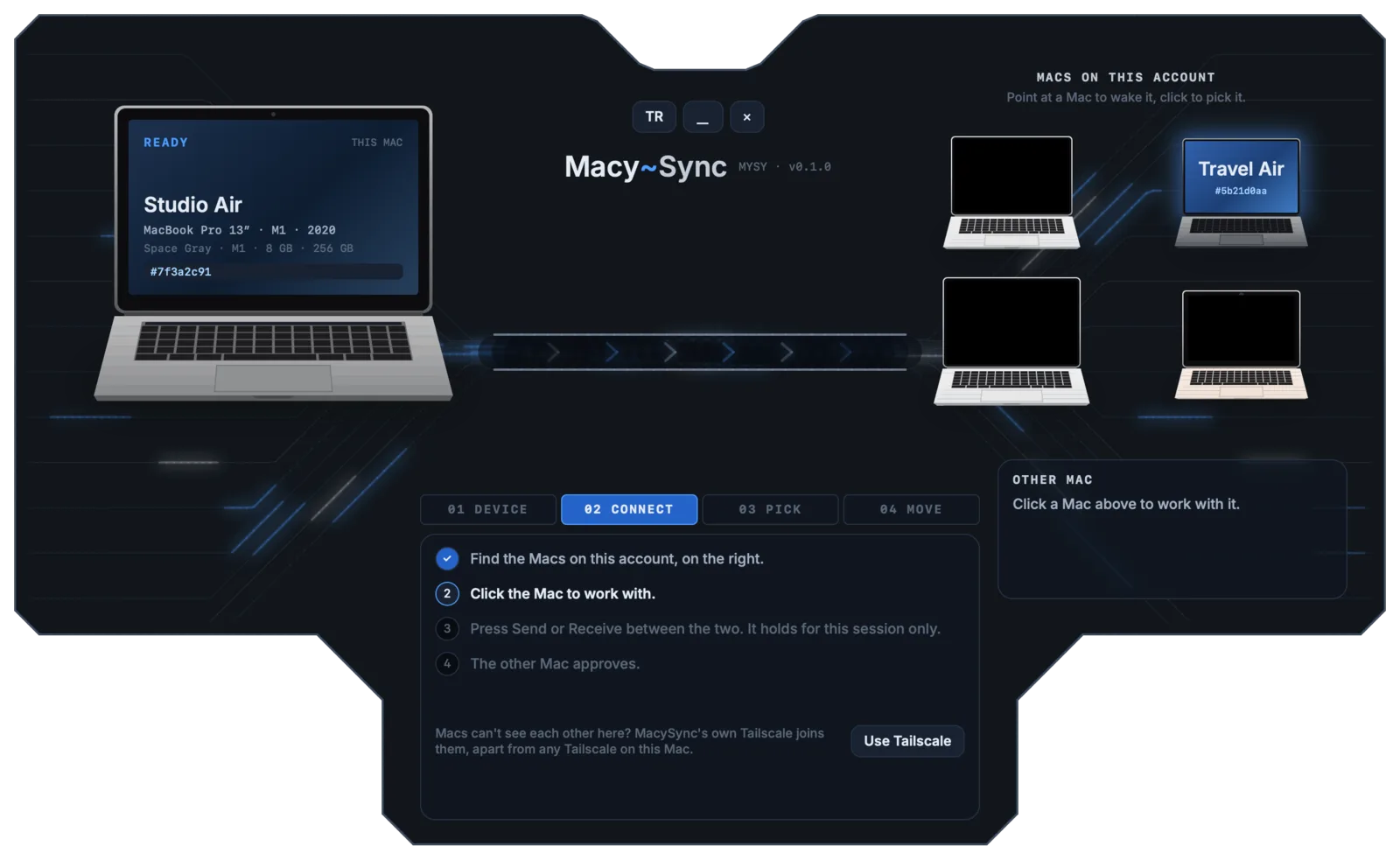
Find Macs on this account shows every Mac on the bus as a small laptop with its screen off. Point at one and its screen lights up with its name; click it and it grows into place. Between the two Macs, press Send or Receive. There is no sender Mac or receiver Mac by setup: the choice holds for this session, and the other Mac shows a request its owner approves before anything moves.
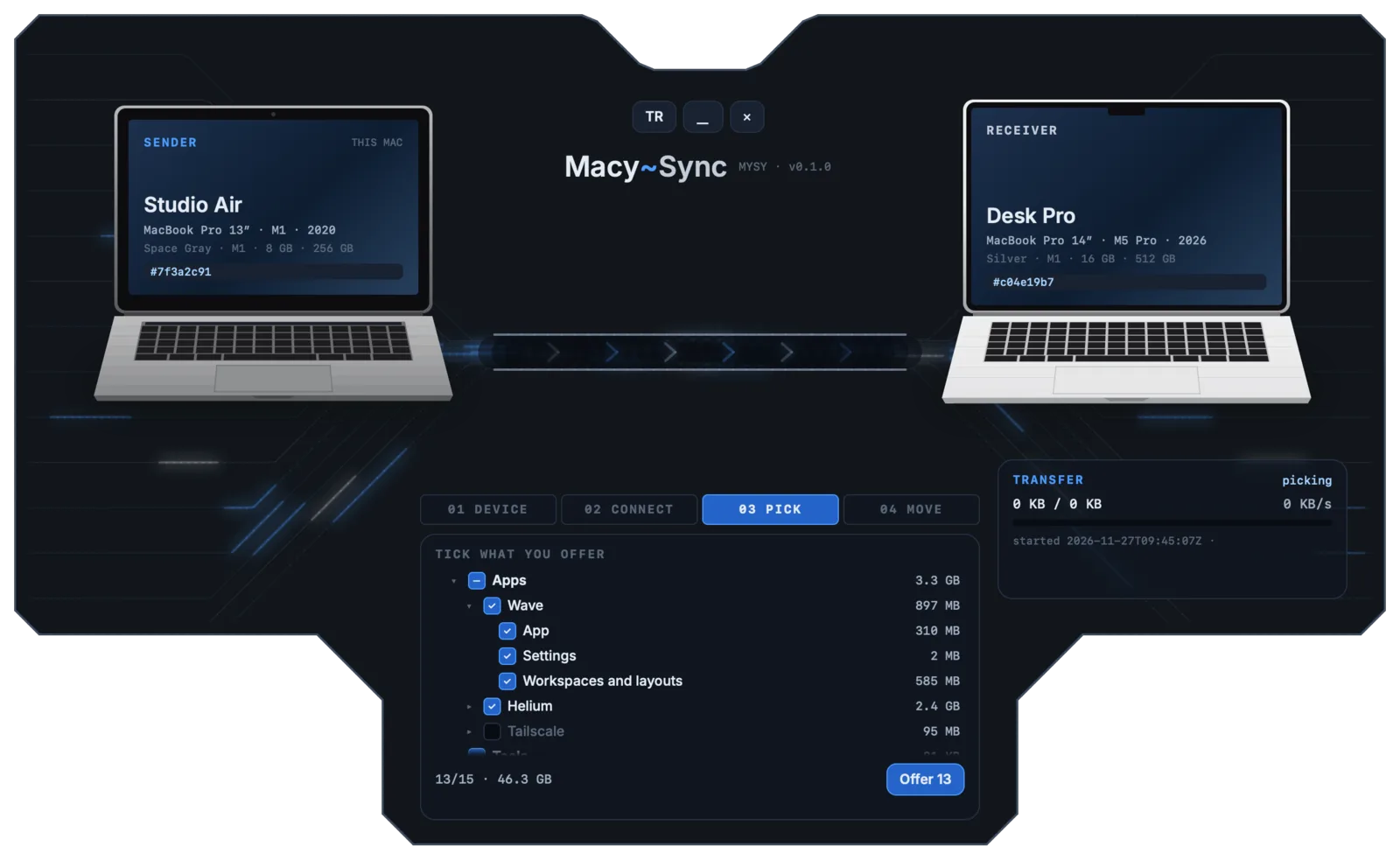
Then the sender scans what it can offer, with sizes, as a tree: categories, then apps and folders, then the parts of each. Ticking a parent ticks every leaf under it.
What it knows about a Mac
.npmrc, .netrc, ~/.aws and ~/.kube, and the login keychain, added on the new Mac as a second keychain rather than replacing its own.brew bundle dump, npm globals, cargo install and uv tool lists, and ~/.local.~/.config, each top-level item of Desktop, Documents, Downloads, Pictures, Movies and Music, and folders of projects, each project on its own.Two kinds of apps get special care. Apps tied to the Mac's identity, like Tailscale, RustDesk, AnyDesk, Cloudflare WARP and Chrome Remote Desktop, are offered unticked, because a copy would clone the old Mac's identity; the brief says to install and sign in fresh. And Chromium browsers and Electron apps encrypt their saved passwords and cookies with a "Safe Storage" item in the login keychain. MacySync sends that key as the app's Password key part: macOS asks the old Mac's user to allow reading it once, and the new Mac adds it to its own login keychain before the app first starts. Without it, the app would make a new key and could not read its own saved logins.
Claude Code is split for a reason too: its conversation history can be gigabytes on a Mac used for long, and it isn't needed to work. Settings, skills, plugins and memory are.
Mac to Mac, even on a network that says no
The picked items go over TCP from one Mac to the other, as an XChaCha20-Poly1305 stream under a random key only the two Macs know. Every frame is authenticated, so a cut stream fails instead of quietly ending early. A cut connection loses only the item in flight, macysync --accept picks up a transfer that stopped, and progress is written to the repo every two minutes, with a countdown to the next update.
Some networks keep their devices apart, like an office or a guest Wi-Fi. For those, MacySync carries its own Tailscale node. It runs in userspace with its state, socket and log in ~/.config/macysync/tailscale: no network interface, no DNS or route changes, and nothing shared with a Tailscale already on the Mac.
Folders that get rebuilt from source, like node_modules, target, .venv and DerivedData, can stay behind, but only inside your own folders. Inside an app they stay: an app bundle's node_modules is part of the app, and macOS refuses to run an app whose seal is broken.
Then an agent sets it up
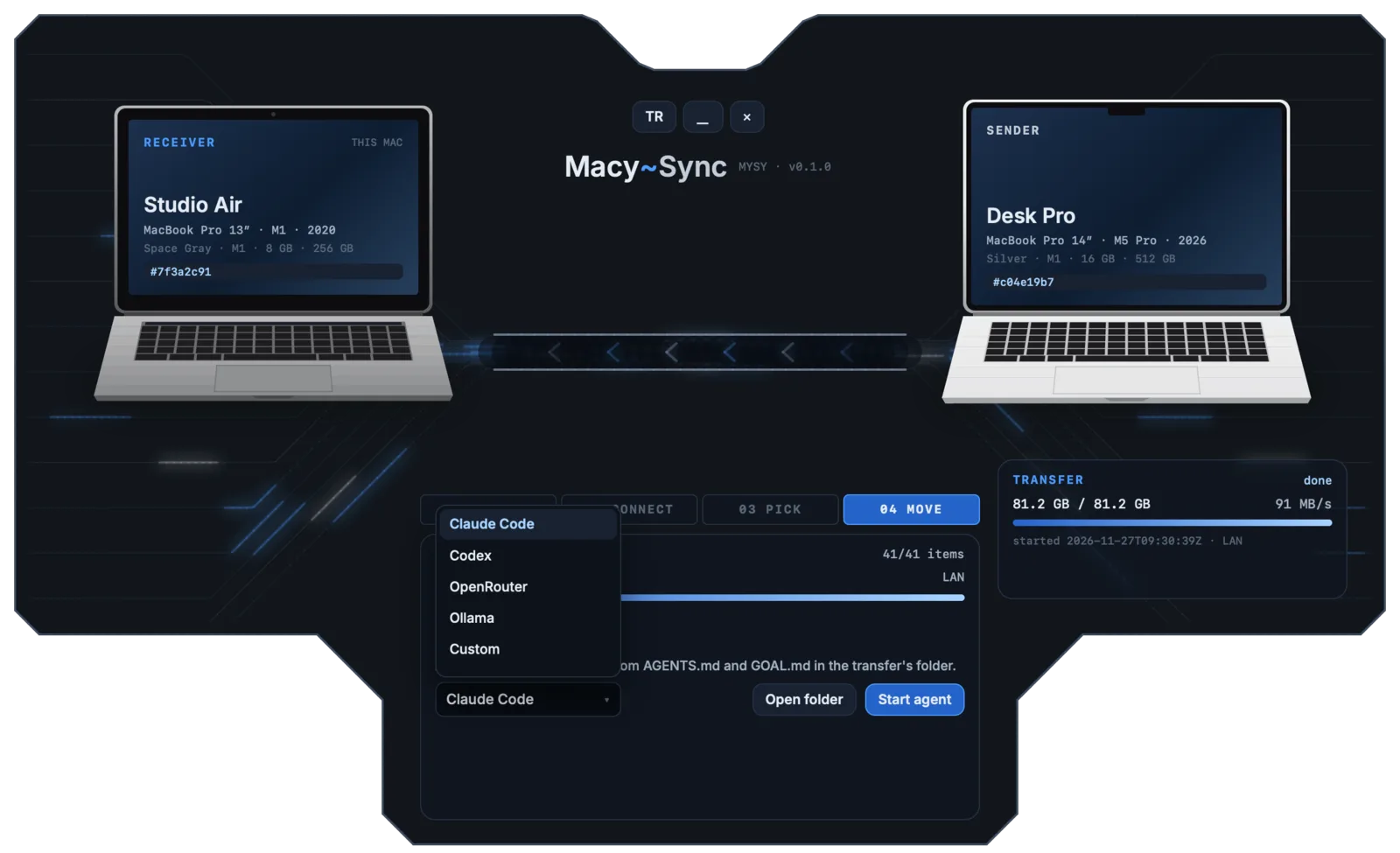
Each item lands in a staging folder, then in place. Whatever was already there is kept, preference files are imported with defaults import, and links that pointed into the old home folder, like ~/.local/bin/claude, are pointed into the new one. Before the agent starts, a preflight installs Apple's command line tools, Homebrew and Node where the moved items need them.
Then the new Mac writes AGENTS.md and GOAL.md into the transfer folder and runs the agent you chose: Claude Code, Codex, Claude Code through OpenRouter or a local Ollama model, or a command of your own. For Claude Code it is:
cd {dir} && claude "Read AGENTS.md and GOAL.md in this folder and do what they say."Each item carries a note for the agent. Karabiner's says to open the app once and approve its driver and Input Monitoring, which the person has to click. Tailscale's says to sign in again. The Brewfile's says to use brew install --cask --adopt for apps that were already copied, so Homebrew takes them over instead of failing.
How it is built
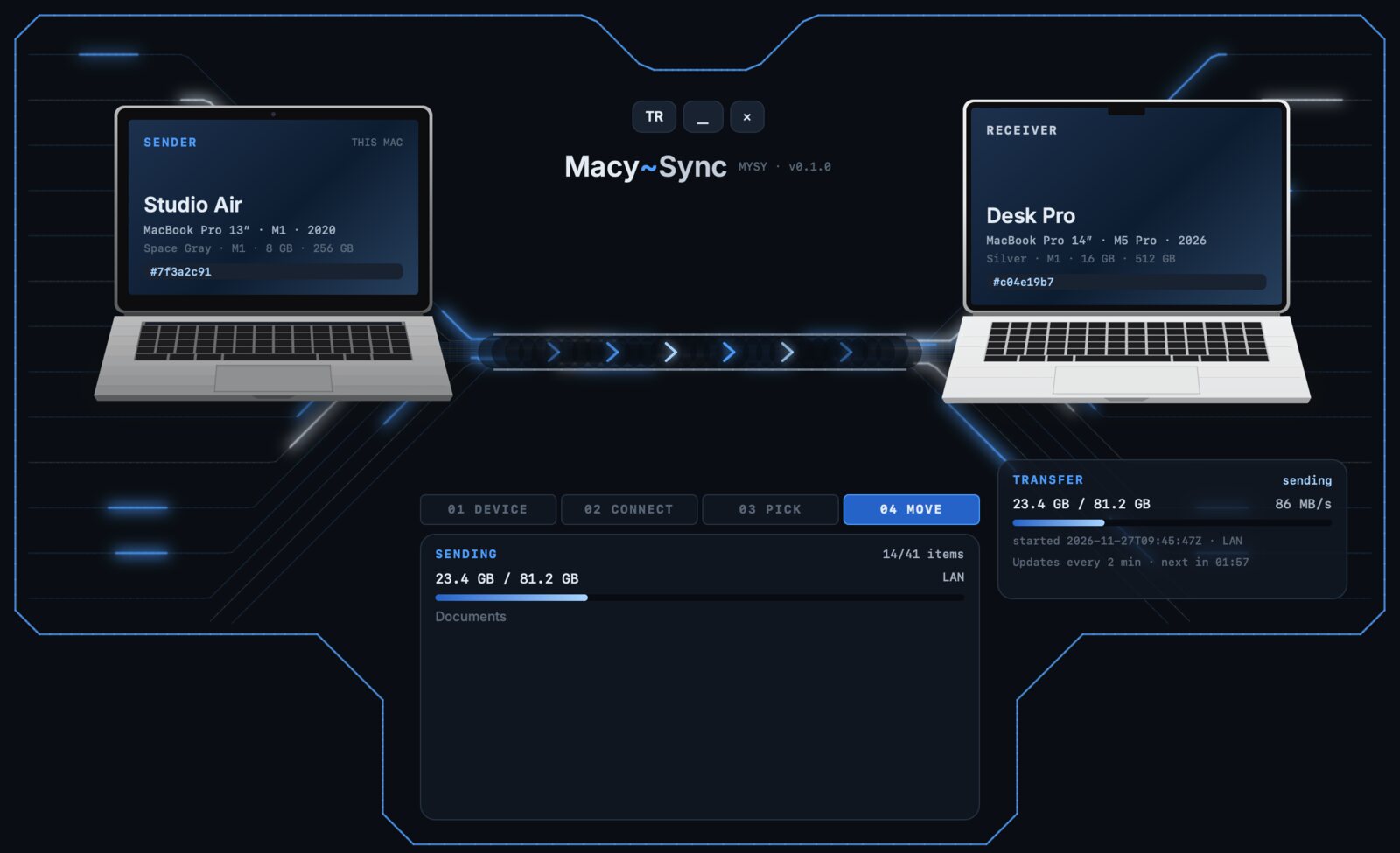
MacySync is one Rust binary, drawn with Rune. The window is mirror-symmetric, cut at 45 degrees, in blue, with background lines that bend like traces and flow from the sender to the receiver on both screens. Each Mac is drawn as the model and colour it really is. A layout editor for the window saves straight into the running app.
It is the first of a family: WindySync moves Windows to Windows, LinySync Linux to Linux across distros, and AnySync crosses between all three. WavySync keeps Wave Terminal the same on every computer. The same binary works from a terminal:
macysync                            open the window
macysync --demo                     the window on made-up Macs; touches nothing
macysync --detect                   what this Mac reports about itself and the look it gets
macysync --scan [all]               what this Mac can offer, with sizes and ids
macysync --give <id> [--only a,b]   ask Mac <id> to receive, then send
macysync --accept [--only a,b]      approve the request waiting here, then do this side
macysync --tailscale [down] start or stop MacySync's own Tailscale nodeTry it
Version 0.1.0 is the first release, for Apple silicon on macOS 13 or later; Intel Macs have no build yet. Unzip it and move MacySync.app to Applications on both Macs. The app is not notarised, so macOS stops the first open: close the warning, then click Open Anyway in System Settings, Privacy & Security. Or run this once:
xattr -dr com.apple.quarantine /Applications/MacySync.appSign in with the same GitHub account on both Macs, pick the other Mac, and press Send or Receive. It is early, so reports from real moves are especially welcome on GitHub.
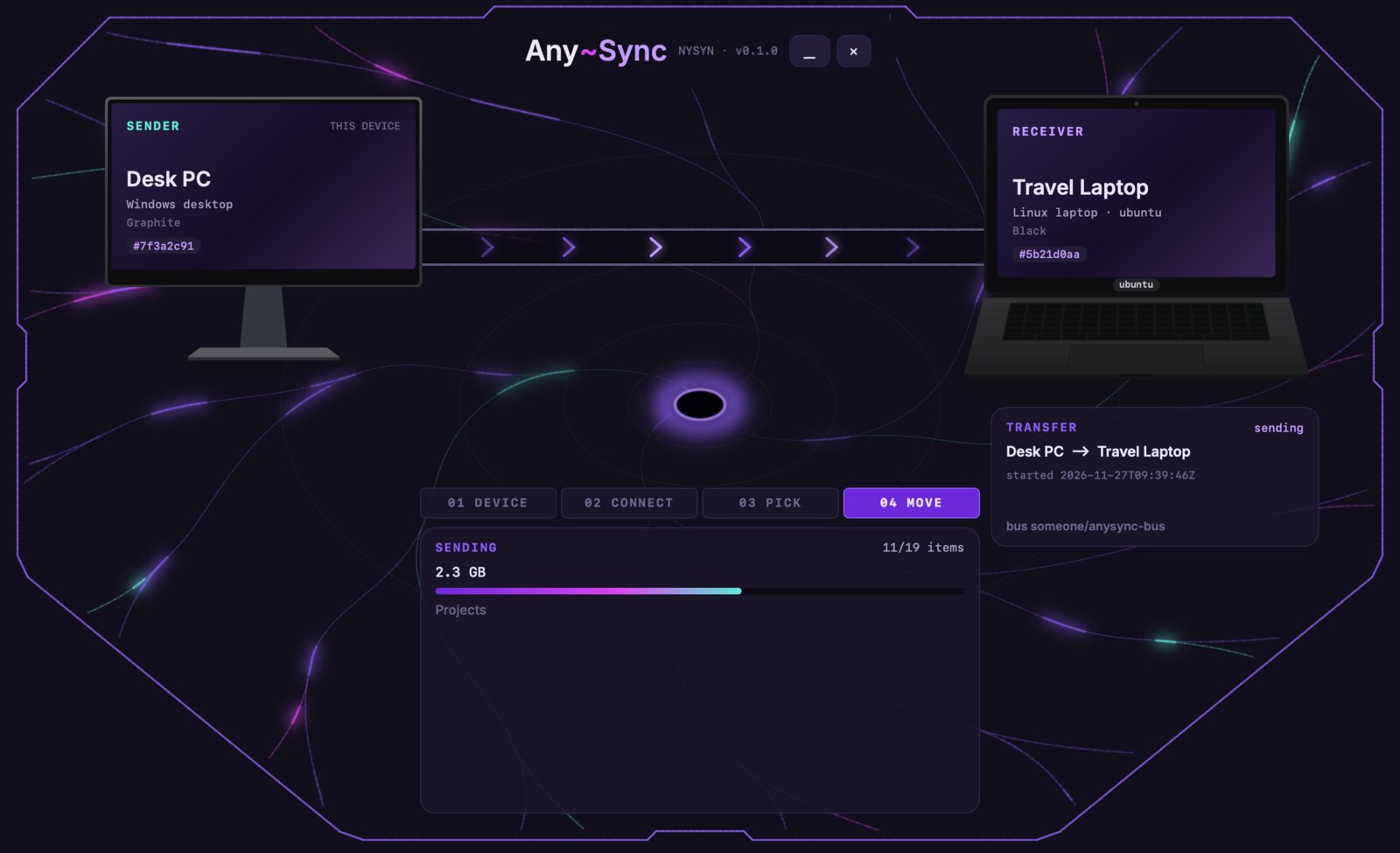 Project · Nov 27, 2026AnySync: NextGen OS Synchronization Between Every Operating System.
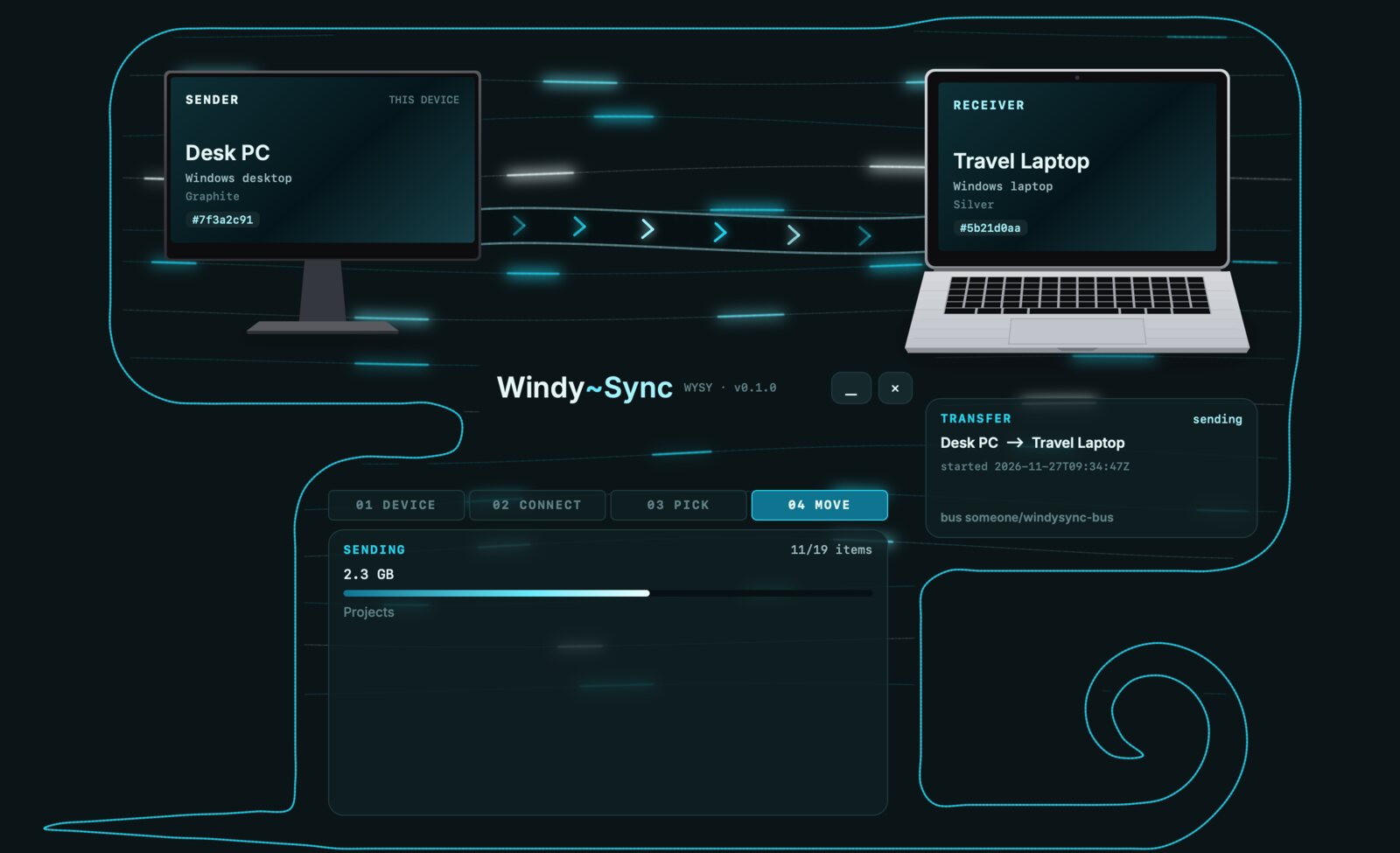 Project · Nov 27, 2026WindySync: Sync Your Windows setup across your PCs with your custom configurations.
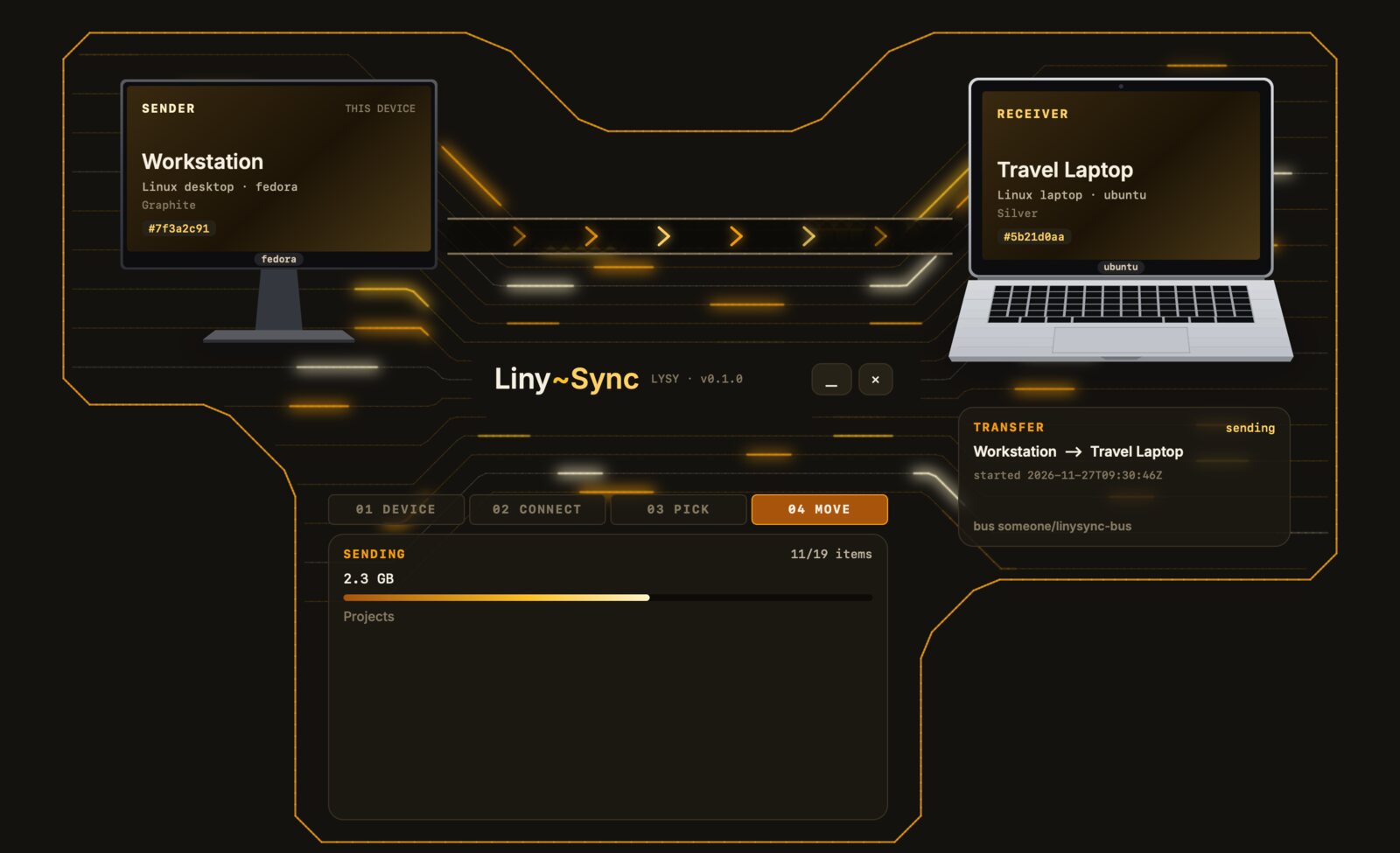 Project · Nov 27, 2026LinySync: Sync your Linux setup however you want with your other linux devices