Projectflutterandroidreadingopen-sourceEnglishTürkçe
EgeBookReader: a reader where the page really turns
Most readers show you a document. I wanted one that gives you a book: a page that curls under your finger, paper that looks printed, black and white manga coloured on the phone, and books read aloud.

5 min read
 Project · Flutter · Android first
A reader where the page really turns
Most readers show you a document. I wanted one that gives you a book: a page that curls under your finger, paper that looks printed, black and white manga coloured on the phone, and books read aloud.
The short version and all the links
- A free ebook and comic reader for Android: EPUB, PDF, MOBI, AZW3, FB2, DjVu, DOCX, CBZ, CBR and more. No account, no ads, no analytics.
- The page curl is drawn per pixel in a GPU shader and follows wherever your finger takes hold. Actual book mode adds paper grain, the fold, side pages and a shadow on the table.
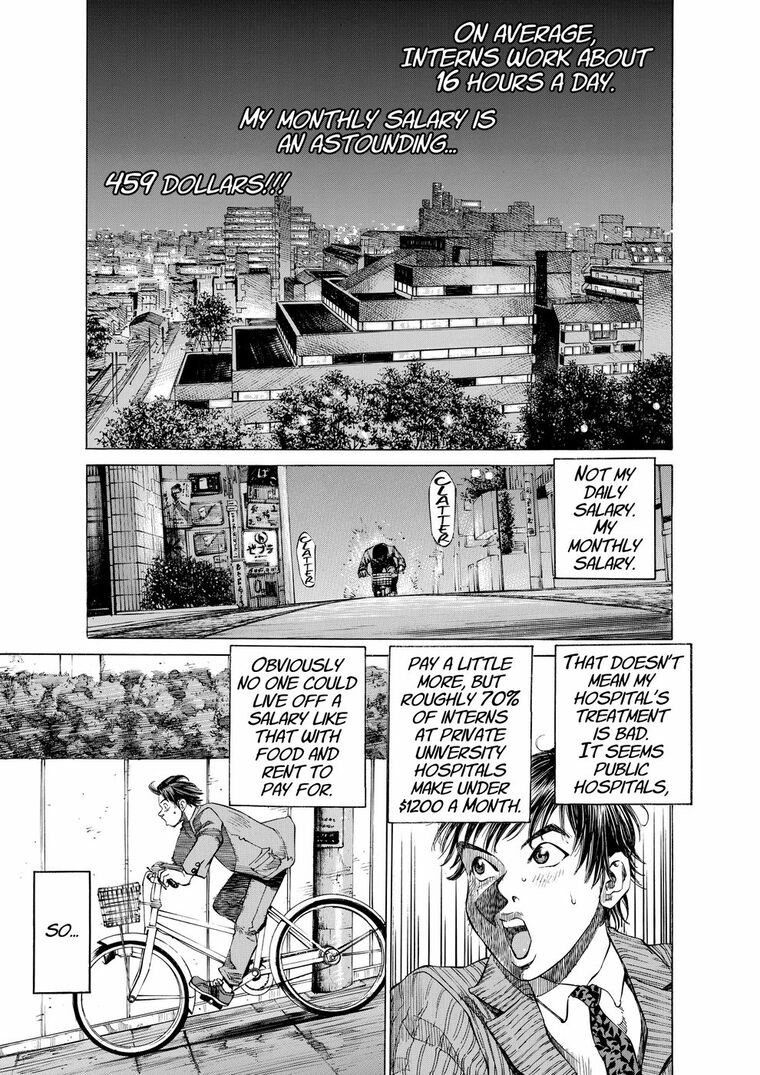
- Black and white manga and pictures are coloured on the phone, offline, by a model you download. Only colour is added, so lines and letters stay where they were.
- Read aloud with each word marked, offline voices including natural Turkish ones, and a voice made from your own recording.
- Version 0.5.1 is a preview for arm64 Android, licensed AGPL-3.0. Books and comics also open in the browser.
- Websiteegebookreader.vercel.app
- DownloadAndroid APK
- Web readerRead in the browser
- SourceGitHub repo
- ReleasesEvery version
- RoadmapWhat comes next
- Modelsmodels-v1
- FeedbackReport a bug
Why I built it
A reader on a phone mostly shows you a document. I wanted one that feels like a book. So on 10 November 2026 I wrote a long brief, in Turkish, and handed it to a coding agent session.
The list was specific. Every common ebook format. A page turn that follows where your finger grabs the page, in single and two-page layouts. The paper filters from Okuma-Reader behind one "actual book mode" switch. Colouring for black and white manga, on the phone, offline, with the coloured picture in exactly the same place and size. Text to speech with downloadable models. And Android first.
I steered the whole thing from my phone through OpenCommunicate, my chat between people and agents. The first APK, with the library, the curl and actual book mode, came over that chat the same day. Version 0.5.1 followed on 16 November.
A page you can hold
 Flip
 Actual book mode
 Colorized
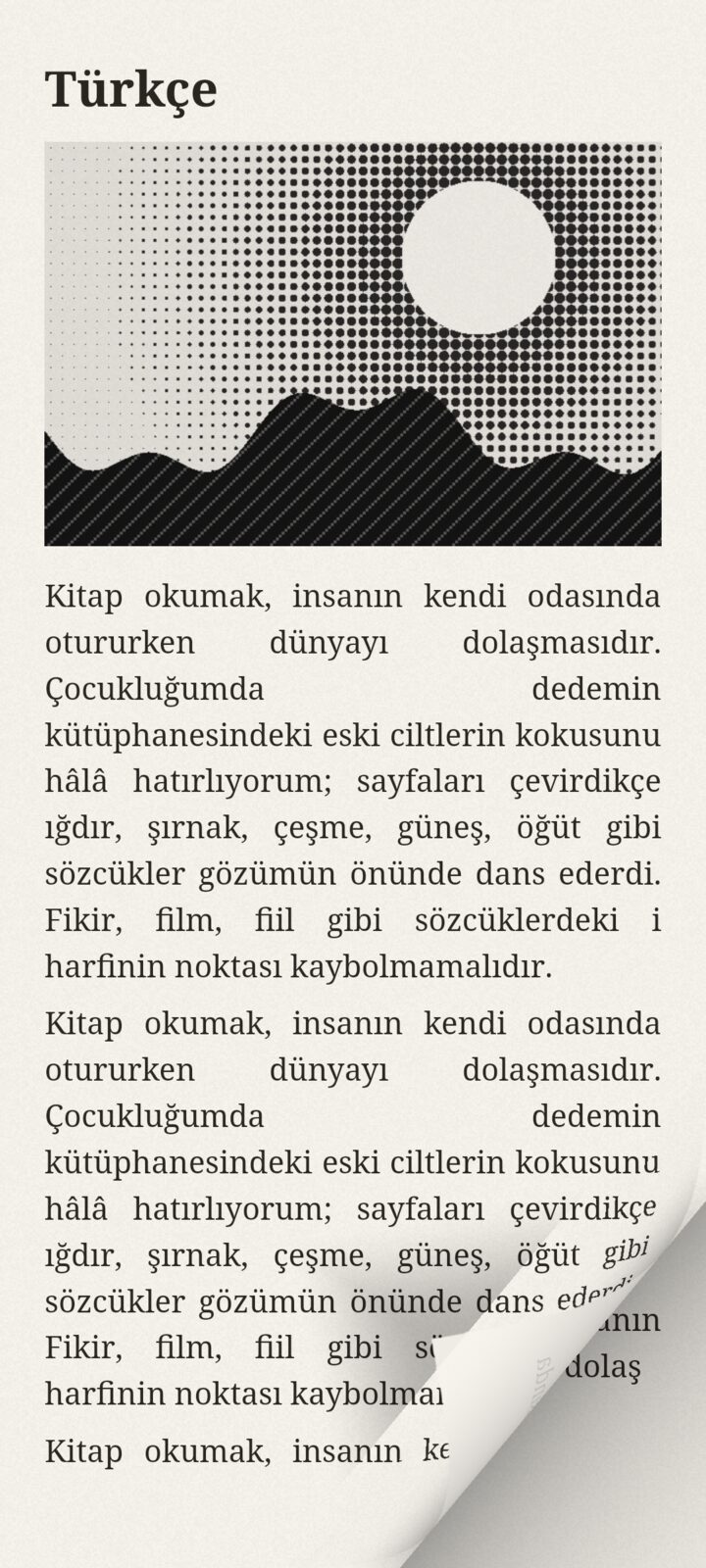
Flip is the default way to turn pages. The page rolls over a cylinder, and a fragment shader works out, for every pixel, which part of the paper is on top: the front of the turning page, its back, or the page underneath. There is no mesh, so it stays sharp at any resolution. Take the page by the corner, the edge or the middle and the curl follows. Let go and it settles with a spring that keeps the speed of your swipe.
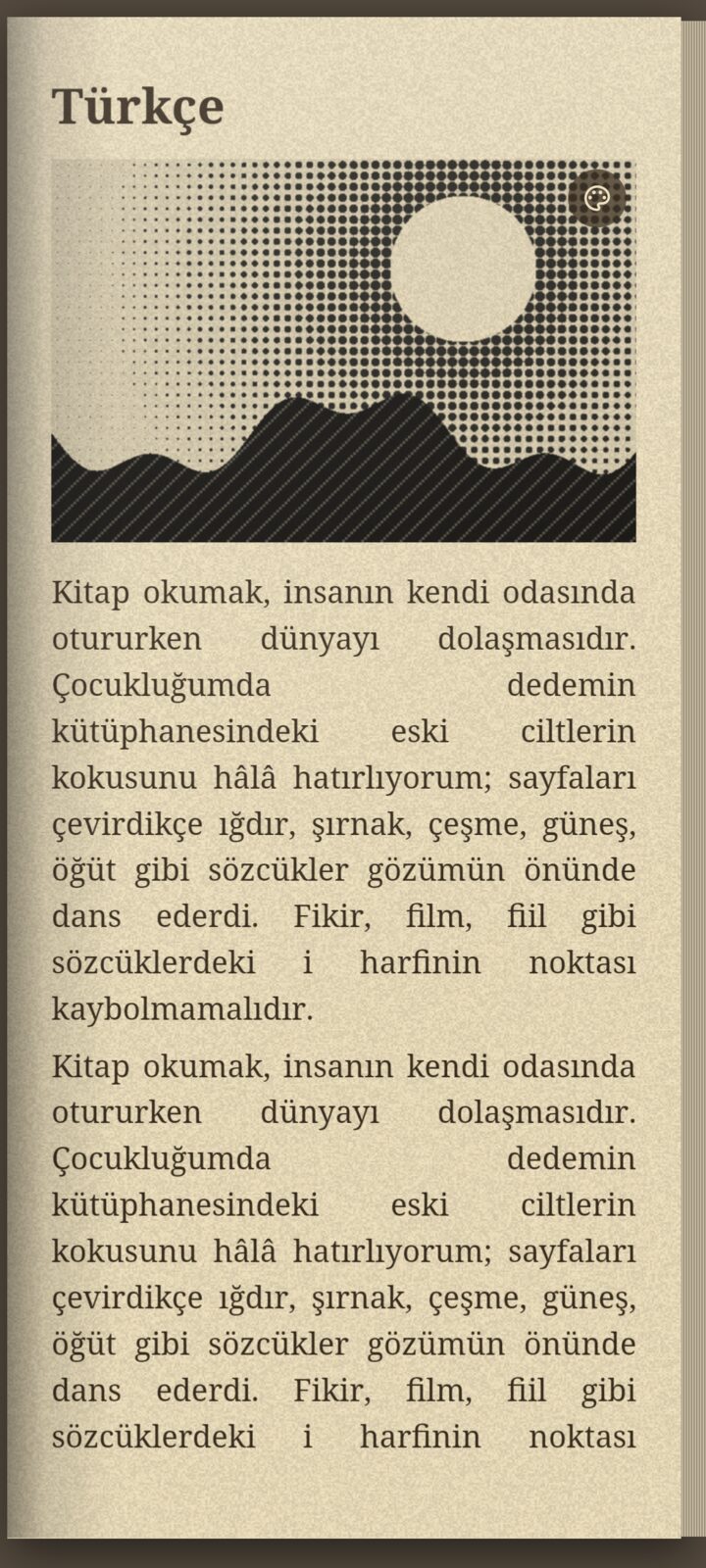
Actual book mode adds Okuma's five layers on top: paper grain, the shadow of the fold, lighting, the stack of pages at the sides and a shadow on the table. Turn the phone and you get two pages with the spine in the middle.
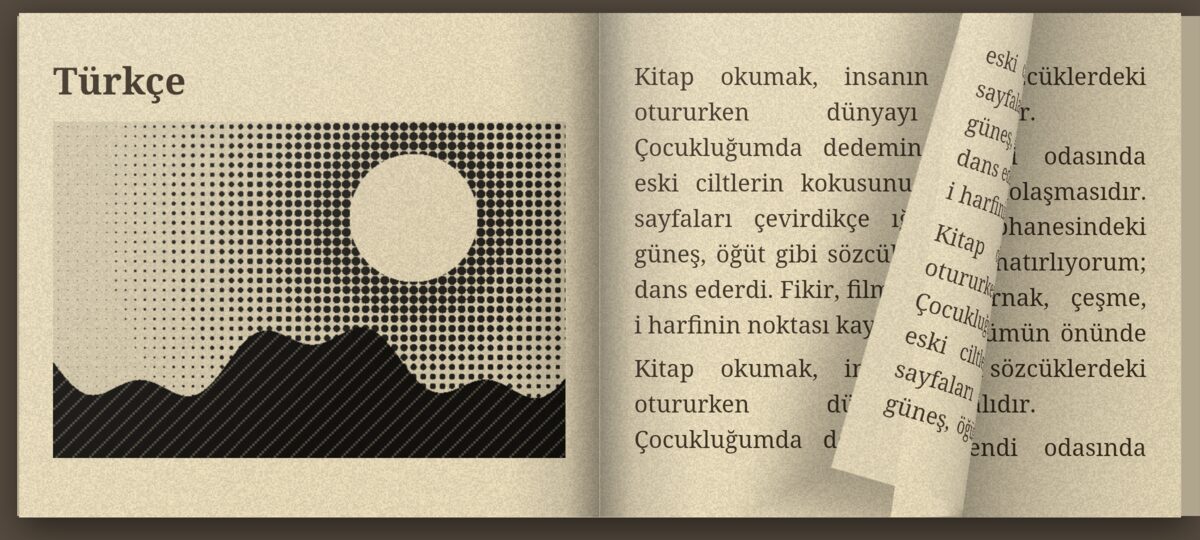
For manga the whole thing mirrors: the page lifts from the left edge, spreads read right to left, and the page bar runs from the right. Comics can go panel by panel, and webtoons scroll as one long strip, found by the shape of their pages.
Colour for black and white
 Original
 DDColor
 Manga Light
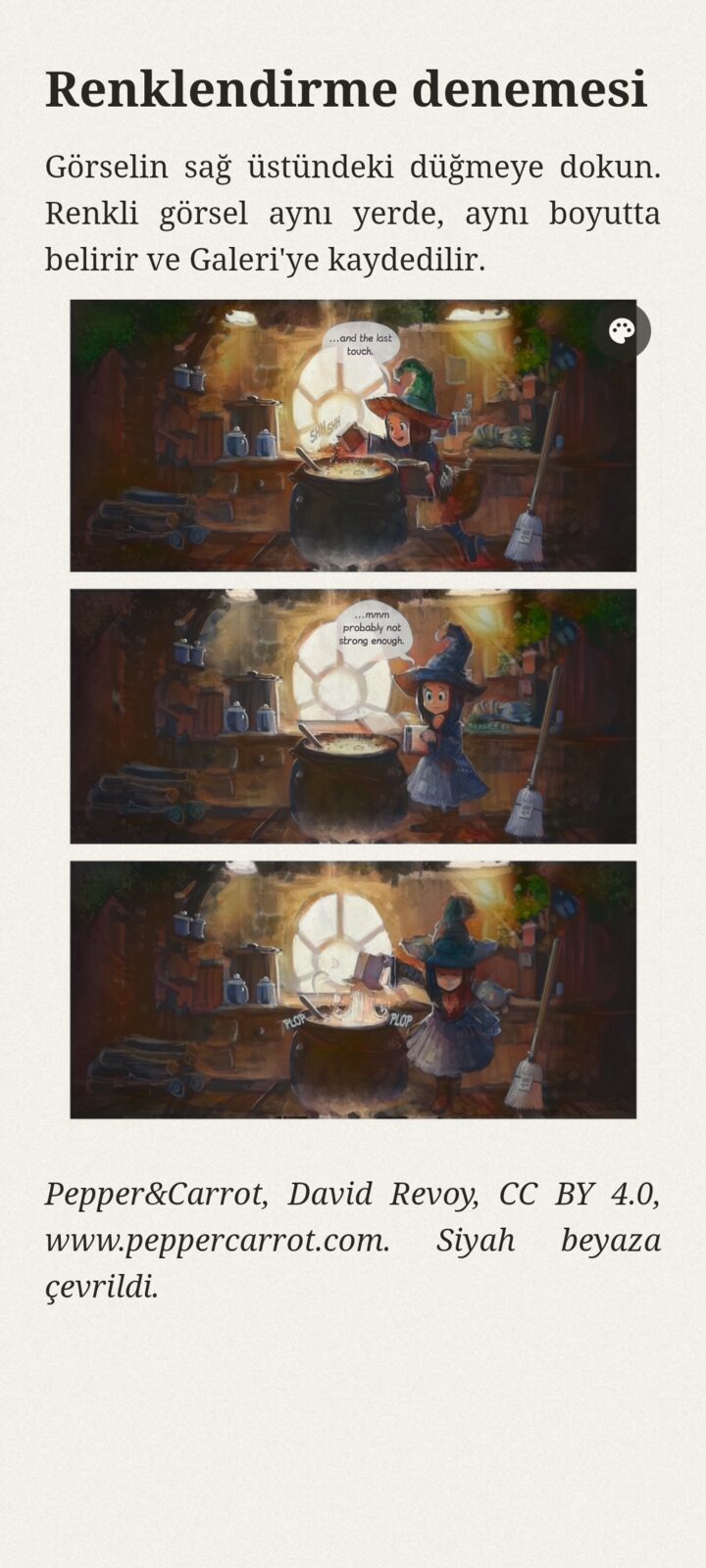
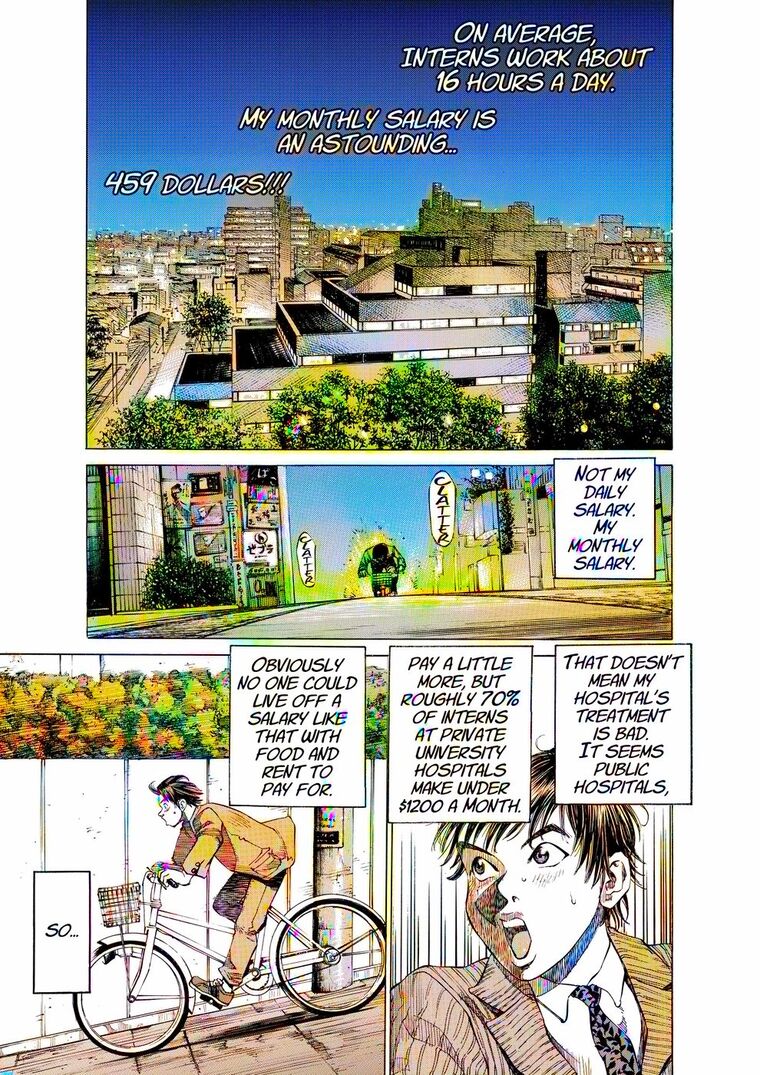
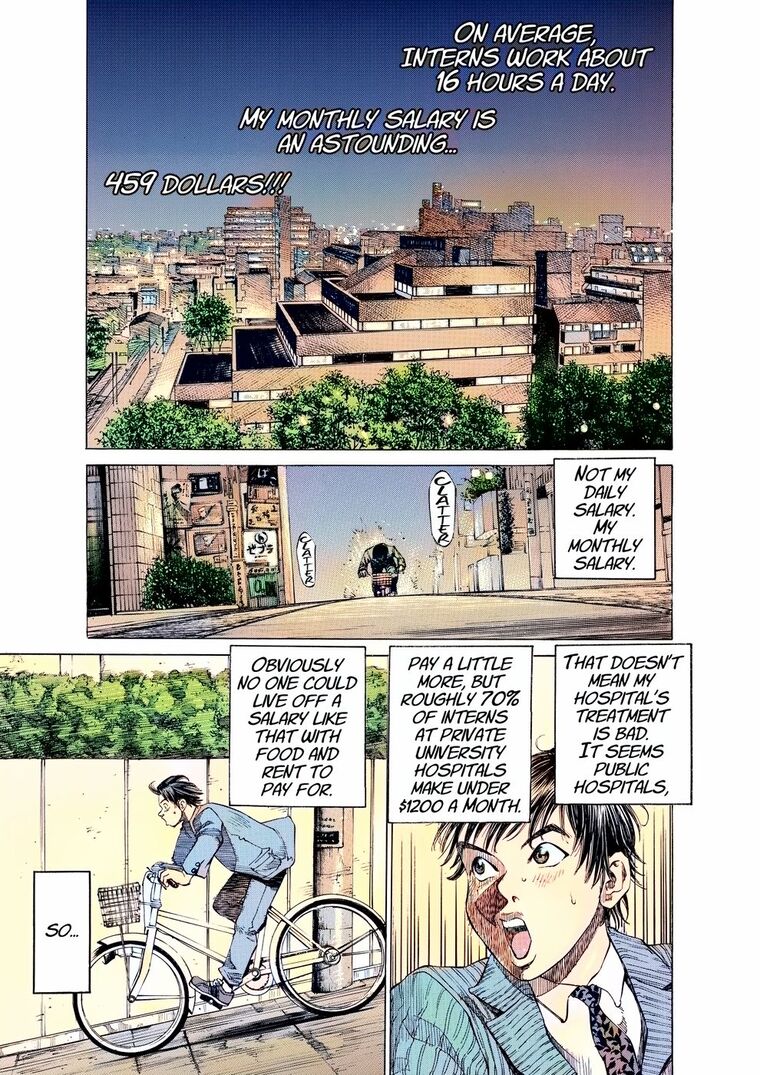
This was the part of the brief I was least sure about. The answer is a small model you download once: Manga Light Colorizer for comics, DDColor for photographs. Nothing is uploaded.
The rule that matters is that the model only adds colour. It predicts the colour channels, and the app keeps the original lightness at its full size. So every line, screentone and letter stays exactly where it was, and the coloured picture drops into the page at the same place and size.
You can colour one picture with its button, or let the app do it. Automatic mode colours the first pages when a book opens and the rest one by one in the background, resting between pictures and pausing when the phone is warm or saving battery. Sepia and tinted scans count as black and white, because the app looks at how many hue families a picture really has.
Colours from any model are a guess: often good, sometimes wrong.
Books read aloud
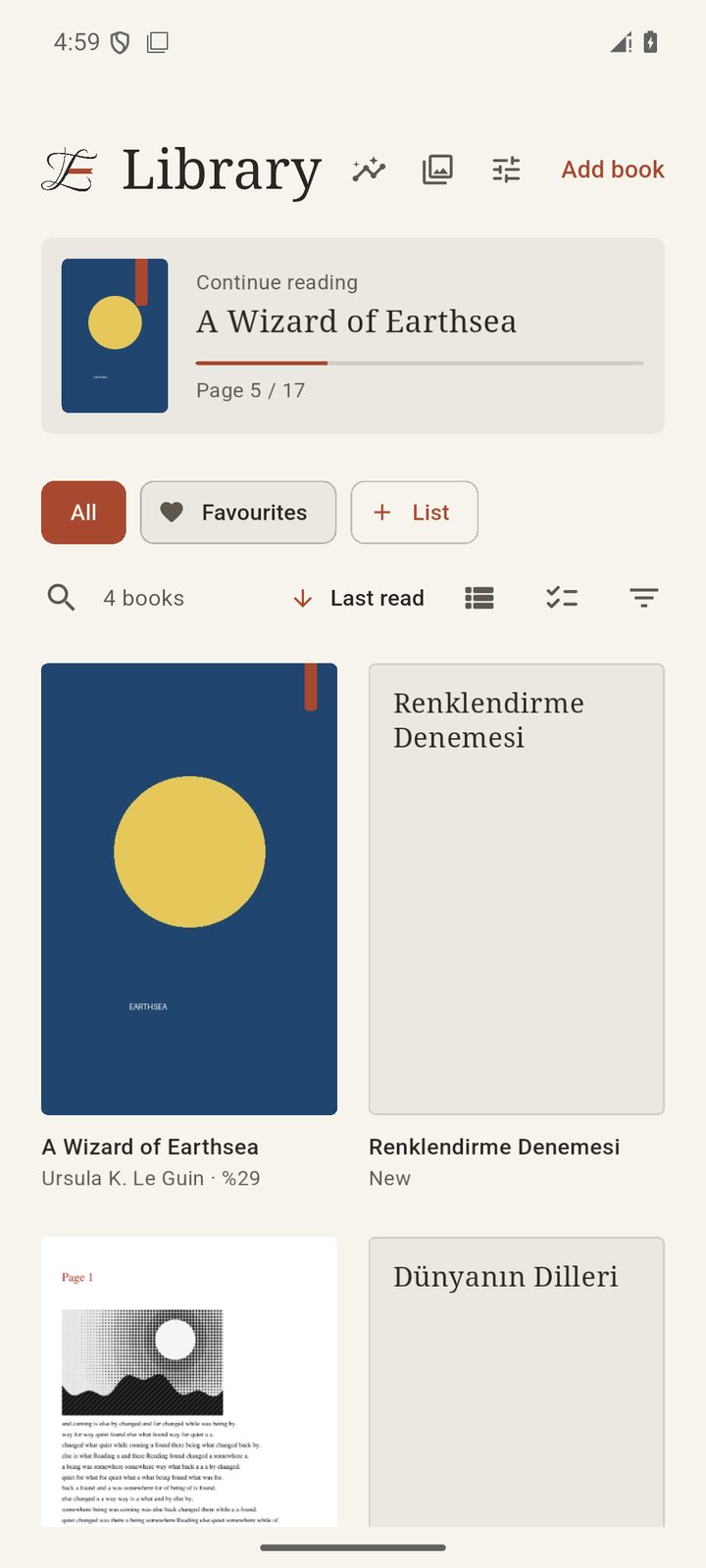 Library
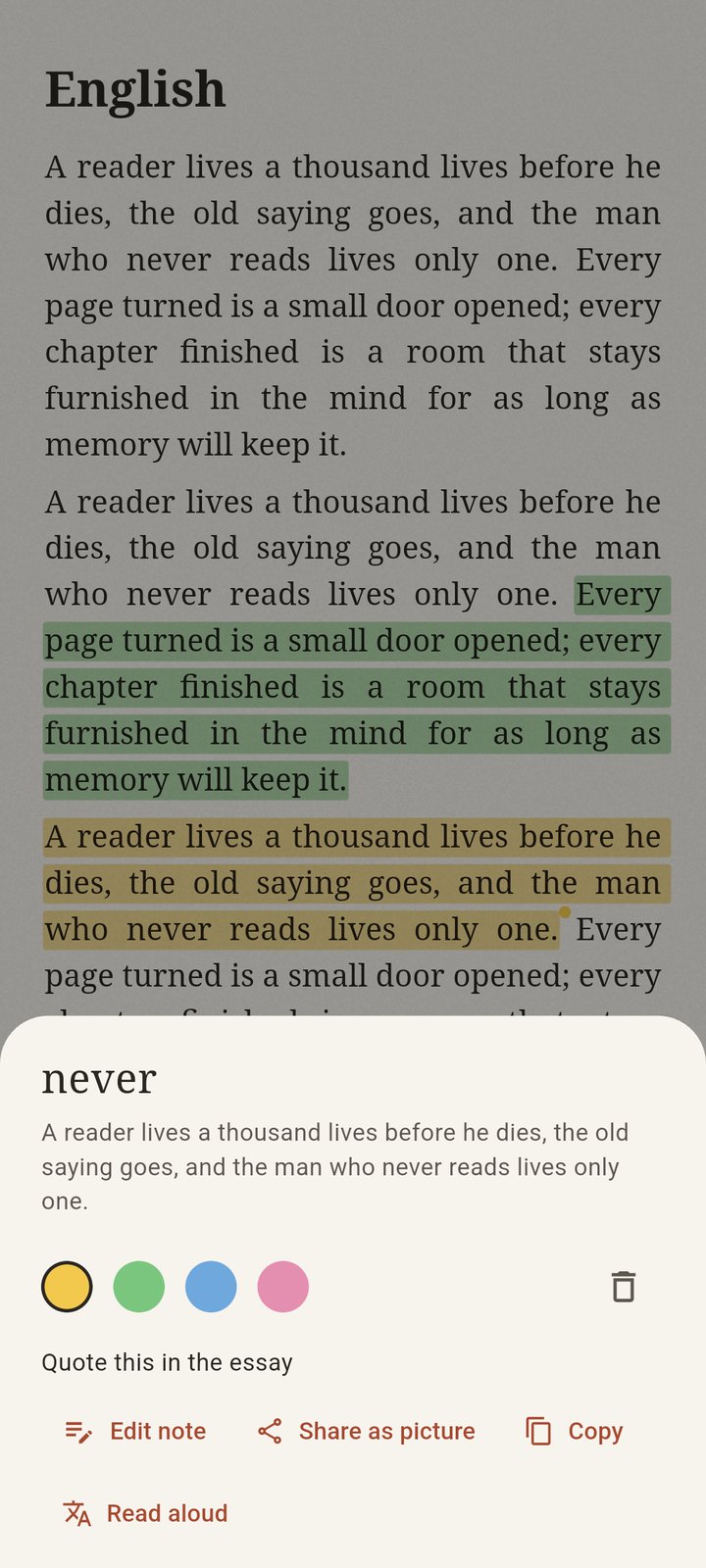 Highlights
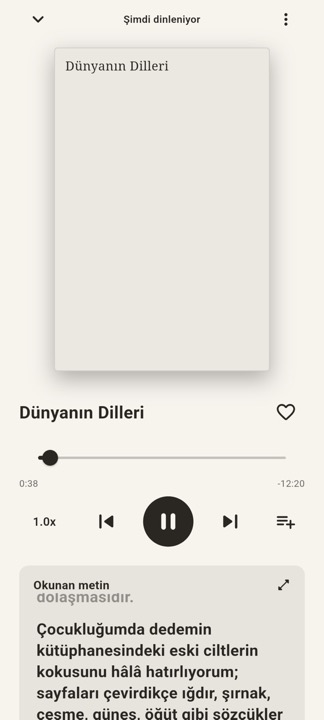 Player
Each word is marked like a yellow highlighter as it is read, and the page turns by itself. Drag the marker and the voice follows. It keeps going with the screen off, and the lock screen and headphone buttons control it.
The system voice is the default. Downloadable voices list their languages, license and source; Supertonic covers 31 languages including Turkish, and there are two natural Turkish voices that read numbers, dates and abbreviations in Turkish. With automatic voicing on, the phone voices the pages ahead in the background, so listening never waits for it. You can also read a text aloud for about 30 seconds, and a converter makes any model voice sound like you. Only a short voice print is kept; the recording is deleted.
Around that grew a full-screen player with the words scrolling like lyrics, listening shelves that play books in order, and support for your own mp3 or m4b audiobook with its chapters.
Nothing leaves the phone
There is no account and no analytics. The app goes online when you ask for a font, a model or a cloud voice. The one thing on by default is a book lookup on Open Library, which sends only the search text (the title and author unless you change it) and can be switched off. Models are not shipped inside the app; each comes from its authors' own release, or from this project's models-v1 release where I converted it for phones.
The same goes for the web reader at /read. It opens EPUB, PDF, MOBI, comics and more in any browser, keeps the file in the browser's own storage, and uploads nothing.
Limits
- Android on arm64 only for now. iOS, Windows, macOS and Linux are planned from the same Flutter code.
- 0.5.1 has been tested on an emulator and on one phone, mine.
- The web reader has no colorization, model voices or highlights yet.
- Release builds are signed with a development key, so a future store build will need one reinstall.
Try it
Download the APK on an arm64 Android phone, allow installs from your browser when Android asks, and open it. The setup takes a minute, lets you hear the voices and compare the colorizers, and every step can be skipped. To build it yourself you need Flutter 3.47, the Android SDK with the NDK, and a JDK:
git clone https://github.com/Ege-BULUT/EgeBookReader
cd EgeBookReader/app
flutter test        # unit, migration and performance tests
flutter build apk --release --split-per-abi --target-platform android-arm64A file that opens badly is the most useful bug report you can send.
 Project · Nov 27, 2026WindySync: Sync Your Windows setup across your PCs with your custom configurations.
 Project · Nov 27, 2026MacySync: Got fresh mac but feeling lazy to carry everything there? Dont worry we cover you for free!
 Project · Nov 27, 2026LinySync: Sync your Linux setup however you want with your other linux devices