blog / agent workflow
A board and a memory for coding agents
Agents are excellent at the next task and hopeless at remembering the last ten. Everything they learned, blocked on, or already tried is scattered across chat transcripts nobody will ever reopen.
The setup I actually work in is: I am the team lead, and the team is a set of coding agents. That arrangement breaks in a specific and repetitive way. Every new session starts cold. The agent that spent an hour discovering why a build fails cannot tell the next one. Status lives in my head, blockers live in a transcript I closed yesterday, and "what did we already try" has no answer that survives a restart.
Jira solves this for humans, with notifications, permissions and a login. All three are overhead when the team is a process on your own machine. So I built the narrow version.
openlead is four static HTML pages, each rendered from a JSON file, edited only through four small Python CLIs. No server, no build step, no framework, no account, no network call anywhere. Nothing pushes to a remote on its own; that stays your decision.
The roadmap: direction, drawn
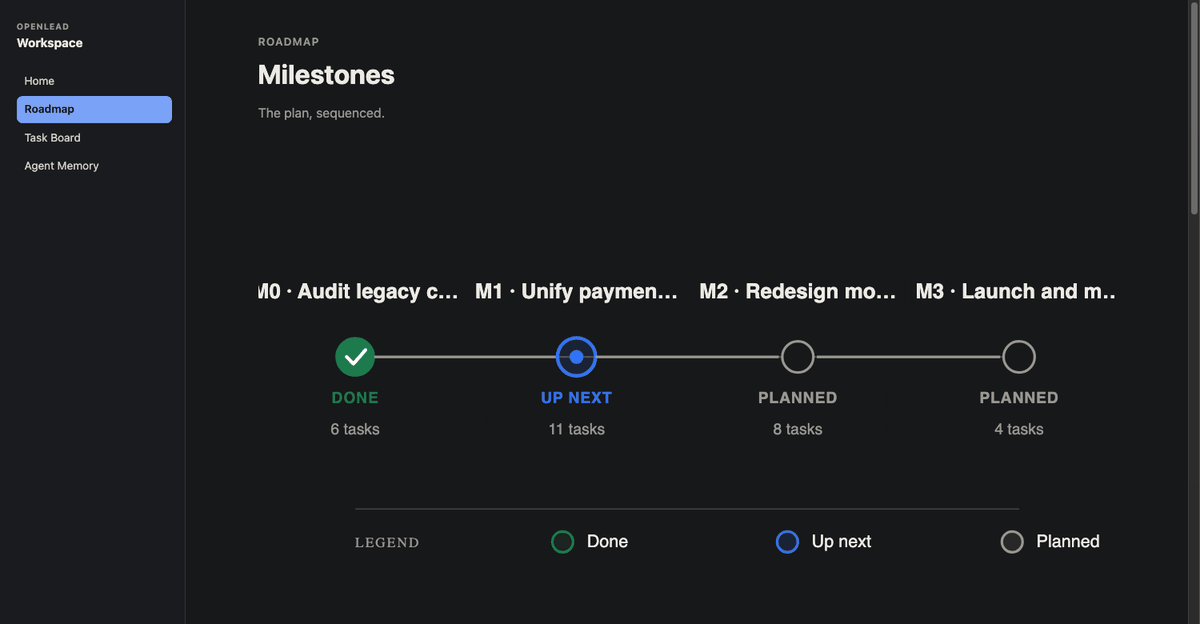
Milestones with a status of done, up next, or planned, and a diagram that lays itself out from whatever you have. The point is not the picture. The point is that an agent can read the current milestone and know which direction counts as forward, without being told again in every prompt.
The board: state that outlives the session
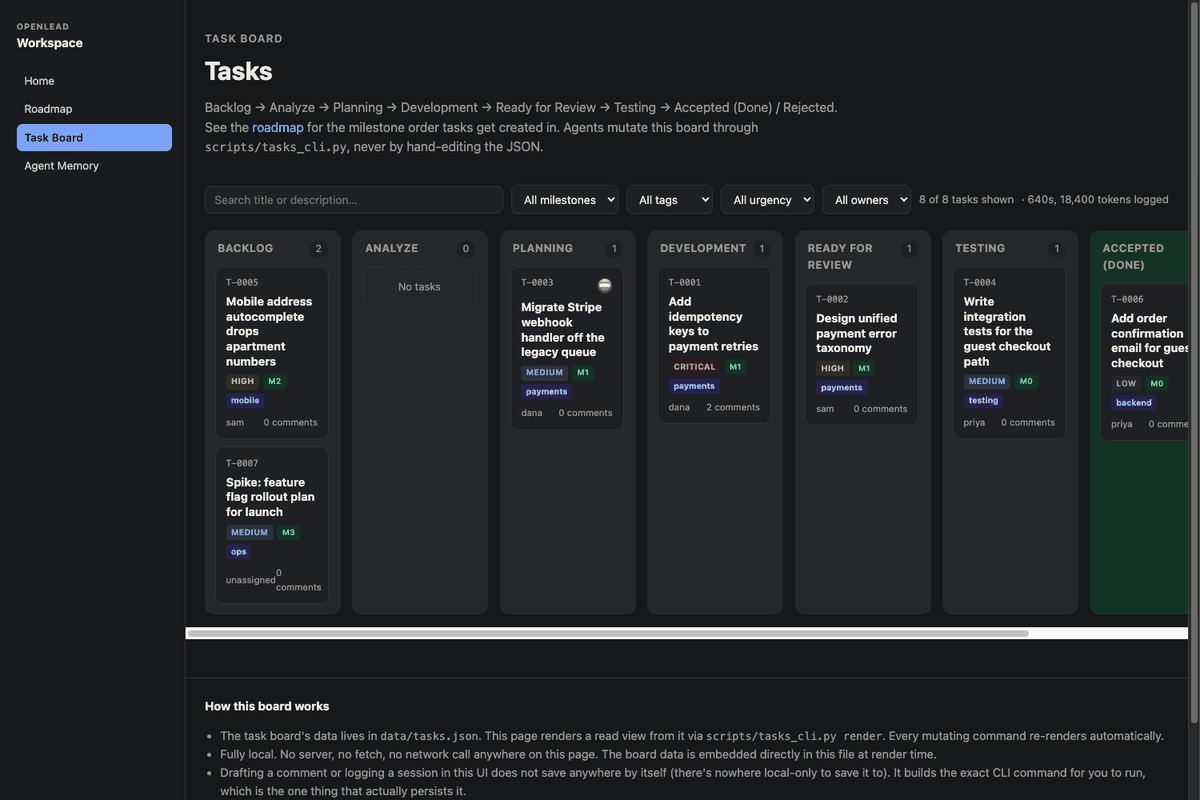
A Kanban board across eight columns, from Backlog through Analyze, Planning, Development, Ready for Review and Testing, to Accepted or Rejected. Each card carries urgency, an optional milestone and tag, blockers, related tasks, a comment thread, a timestamped activity log, and an agent work-session ledger: who worked on it, for how long, and how many tokens it took.
That ledger is the part I did not expect to care about and now check first. Cost per task, attributed to the agent that spent it, accumulated across sessions. It is the same instinct as pulling apart tokens and time, applied to the unit of work rather than the unit of conversation.
The memory: journals, appended not overwritten
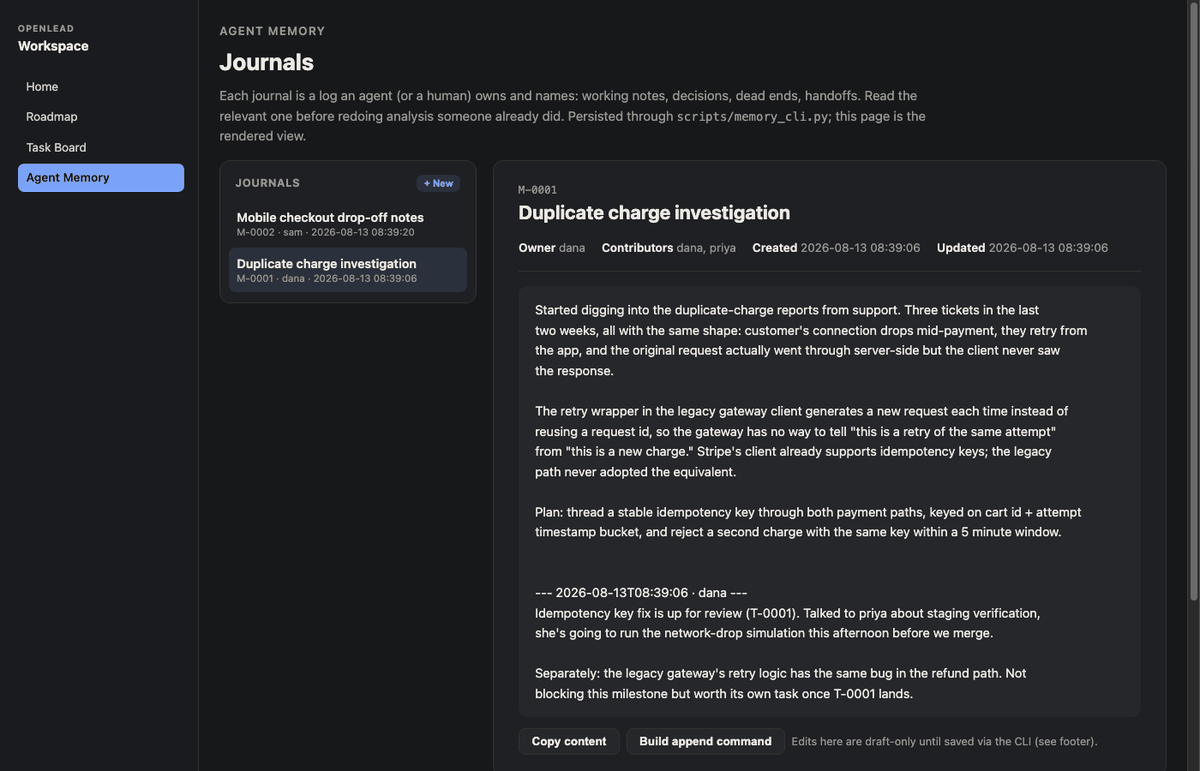
Per-agent journals. An agent investigating something writes what it found, appends to it as it goes, and the history stays. The next session reads it instead of rediscovering it. This is the single highest-leverage page of the four, and it is also the simplest: a list of entries with timestamps.
The design rule that makes it work
Every page embeds its own data as a single JSON block and renders itself from that block with vanilla JavaScript on load. No fetch, which means no CORS, which means the page works when you double-click it from a bare file:// path.
Every CLI follows the same shape: read the JSON, mutate it, write it back, then regenerate only that one embedded block inside the HTML, never touching the page's CSS, layout or JavaScript. That is what lets you restyle a page without the next command clobbering your changes.
python3 openlead/scripts/init_workspace.py ~/projects/my-project/pm \
  --name "My Project" --tagline "One line shown on the homepage"

cd ~/projects/my-project/pm
python3 scripts/roadmap_cli.py add --name "Get started" --status next
python3 scripts/tasks_cli.py add --title "First real task" --milestone M1
open index.html
There is exactly one rule for agents, and it is in bold in the skill file: never hand-edit the JSON. Always go through the CLI, so ids, timestamps and the rendered HTML stay consistent. An agent that edits the data file directly will produce something that looks fine and renders wrong.
How agents pick it up
The repo ships as an Agent Skill. Drop it into .claude/skills/openlead/ and Claude Code loads it when the conversation is about a roadmap, a board or agent memory. OpenCode reads the exact same file from the same path with the same frontmatter, so one SKILL.md serves both with no adapter and no fork.
Any agent with file and shell access can use it regardless, because underneath the skill wrapper it is four Python CLIs and four HTML files. The skill is a discovery convenience, not the product.
What it is not
- Not a hosted product. No backend, no accounts, no sync between machines unless you put the workspace directory in your own repository.
- Not a Jira replacement for a real team of humans who need notifications, permissions and integrations.
- Not a chat log. It is the durable residue of the work, which is a much smaller and more useful thing.
Python 3.8 and up, standard library only, MIT licensed. The end-to-end test scaffolds a throwaway workspace, drives all four CLIs against it and exits non-zero on failure, with no test framework involved, which feels like the right amount of ceremony for a tool this size.
Sample data on the live site shows what a workspace looks like after a team has actually used it for a while.